Learn English by reading books you love

Tap any word for its meaning in that sentence, in your language.

Free plan, no card needed. Meanings in Romanian, Russian or Spanish.

Try it here: tap a word, drag across a phrase, or hold Alt to pick separate words.

Chapter 3

The harbour was quiet when Mara arrived. She was reluctant to knock, so she waited by the door and tried to make out the voices inside. Somebody laughed, a chair scraped across the floor, and at last the door swung open.

An old man looked her up and down. “You’re late,” he said, although he didn’t sound surprised. Mara picked her bag up and stepped inside, careful not to trip over the coils of rope that covered the floor.

The room smelled of salt and candle smoke. Maps were pinned to every wall, and on the table lay a brass compass that pointed nowhere in particular.

42
Your wordsharbour

How a new word from a book stays with you

Follow one word from one page for a couple of weeks. This is how English vocabulary from the books you read stops slipping away.

  1. Monday, page 42

    It stops you on page 42

    One tap shows what the word means in this sentence, not in general. A few seconds later you are back in the story.

  2. The same minute

    You save it with one tap

    The word is marked on the page, and the sentence it came from is kept with it.

  3. A week later

    It turns up in another book

    Now it is “reluctantly”, in a different book, and it is already highlighted. Every form of a saved word is, in every book you read.

  4. A few days after that

    Then it comes back as a card

    The card shows the sentence from page 42 with a gap. Recall the word, say how well you knew it, and the next review moves further away.

Phrasal verbs, grammar and the hard words ahead

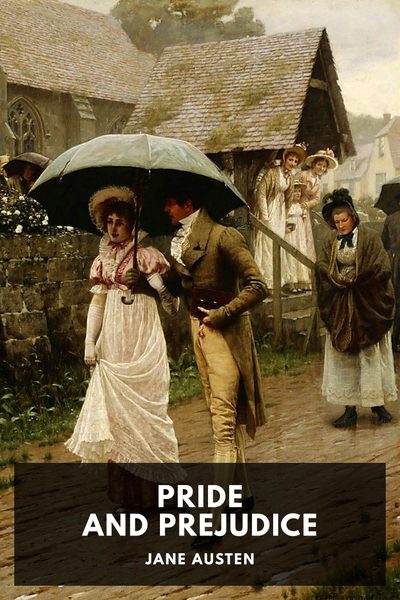
All of it works in any book you add, from a light novel to Pride and Prejudice.

Phrases, even split ones

Drag across a phrase, or hold Alt and click each piece of one like picked … up.

Grammar, when a sentence puzzles you

Ask why it says had been waiting and get a short answer in your language.

Learn the hard words first

Before you start a book, see which of its words you probably don't know yet. The first 10 are free to learn.

Also in the app: decks, words you add yourself, reading and review stats, bookmarks, search inside a book and reading aloud.

An EPUB reader that looks like a book

The interface steps aside while you read. Choose light, sepia, dark or OLED black, set the font and size, and carry on from the same line on any device.

How the EPUB reader works

Ivory

The harbour was quiet when Mara arrived. She was reluctant to knock, so she waited by the door and tried to make out the voices inside. Somebody laughed, a chair scraped across the floor, and at last the door swung open.

An old man looked her up and down. “You’re late,” he said, although he didn’t sound surprised. Mara picked her bag up and stepped inside, careful not to trip over the coils of rope that covered the floor.

Who it's for

  • Readers who won't wait for the translation

    Light novels, web novels and fantasy series that come out in English first, or only in English.

  • Learners who follow most of a page

    You get the story but keep tripping over the same words. Those are the ones worth saving.

  • People who gave up on flashcards

    No decks to build, nothing to type. The cards come from what you read.

Easy English books to start with

Public-domain classics are free to add in one click, with their level and length shown up front.

Check how hard a book is

Start on the free plan

Read, save and review as much as you like on the free plan. Pro is for people who read whole series, and it isn't on sale yet.

Pricing details

Free

€0

No time limit.

  • 2 books of your own
  • 30 credits a day for longer explanations
  • Dictionary, highlights, cards and review without limits
  • 100 MB of storage, files up to 20 MB
  • First 10 words of every "Learn before you read" list
  • Every book on the free classics shelf
Start reading free

Pro

Coming soon

For people who read whole series.

  • 100 books of your own
  • 300 credits a day, up to 3,000 a month
  • 2 GB of storage, files up to 50 MB
  • Whole "Learn before you read" lists, added to a deck at once
  • Stats older than 30 days

Questions

Yes, as long as you understand most of the page. Reading shows you the same words many times in real sentences, and that repetition is what makes them stay.

From about A2 you can read the short classics on the free shelf with help from the dictionary. Most people get the most from it at B1 and above, reading novels they would have picked anyway.

EPUB and TXT files you own, or text you paste in. Shops that sell books without copy protection work best, for example J-Novel Club for light novels. Most books bought for Kindle are locked to Kindle and can't be uploaded.

No. A book you upload belongs to your account only. It is opened and split into chapters in your browser and then stored for you. When you ask for an explanation, only the words you selected and their sentence are sent.

A translator hands you the page in your language, and you learn little from that. Novelexi keeps you reading in English and explains the one word that stopped you.

Looking a word up in the dictionary is free and unlimited. Credits pay for the longer explanations: what a phrase means in this exact sentence, or why a sentence is built the way it is. The free plan gives you 30 a day, and they renew every day.

Yes, in the phone's browser. Tap a word to look it up. For a phrase, tap one word and use "Add piece" for the others. There is no app to install.

You learn English. The interface is available in English, Romanian, Russian and Spanish. More languages will follow, in the order people ask for them.

It covers the same need. There is no import from Kindle and no export to Anki; the cards are built in and kept simple.

Open a book and start reading

Sign in with Google, then upload a book or pick a free classic. Your words are saved from the first page.

Start reading free